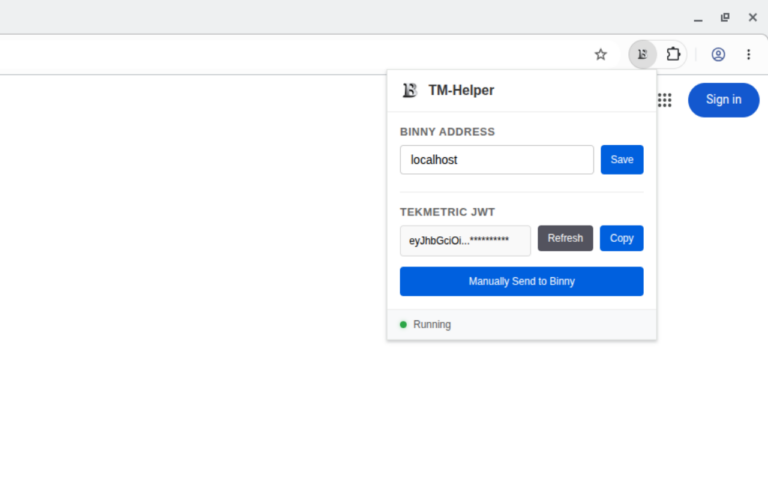
This build of Binny addresses a couple minor issues with Binny and provides a temporary fix for our TekMetric customers until we are able to get an official long-term solution in place.
New Features
- Added Manual order entry to allow our Binny subscribers to submit custom orders directly from within the Binny application.
- Edit label was added to the label drop-down menu which allows Binny users to customize existing order data.
- The character set for PO Ignore and Vendor Ignore lists was expanded to allow for more special characters.
- Temporary support for the TM-Helper browser extension was added to get our TekMetric shops back up and running!
Bug Fixes
- Fixed an issue that resulted in the Binny application crashing when the host does not have a solid internet connection.
- Setting the platform to Napa Tracs in the settings page now defaults to the correct default shop ID (1)
Setup
First time installations will follow the Initial setup guide. Please contact our support team for help ([email protected])
Update
Updating Binny to v1.2.01 is the same process as previous updates. Download the installer below or from the downloads page.
Extract the contents of the downloaded .zip file and make sure Binny is not running.
Run the Binny-amd64-installer.exe program. The installer should recognize that Binny is already installed and will prompt you to update. Click yes and continue through the installation process.
After installation is complete, TekMetric customers will need to add the Binny extension to their browser. Installation and setup instructions for the TM-Helper extension can be found here.